How to Reset Epson L1300 Printer Waste Ink Pad Counter? Let’s know what tools to use for this. A resetter for the printer tank counter will help. Connect to the computer after downloading the Epson L1300 resetter for free; Open the ink pad and reset.
Follow the steps below to complete the process; remember to use the waste pad when necessary. Because doing it too many times can damage the device, if you are unsure about performing this procedure yourself, you need to consult a professional technician for assistance.
Fix Problem “Ink Pad Is at the End of Life” Error
When your Epson waste pads are full, the printer will not work efficiently. Then, it is essential to fix the problem.
A tank is a part of a device; it absorbs excess ink during printing, and over time, it becomes saturated. This can be fixed by following the instructions provided by the adjustment program.
Epson L1300 Resetter Free Download
How to Reset Ink Pad Counter
Connect your printer to the computer. Download the reset tool on the computer.
Open the extracted folder and the “Adjprog.exe” file.
Select “Special Adjustment Mode.”
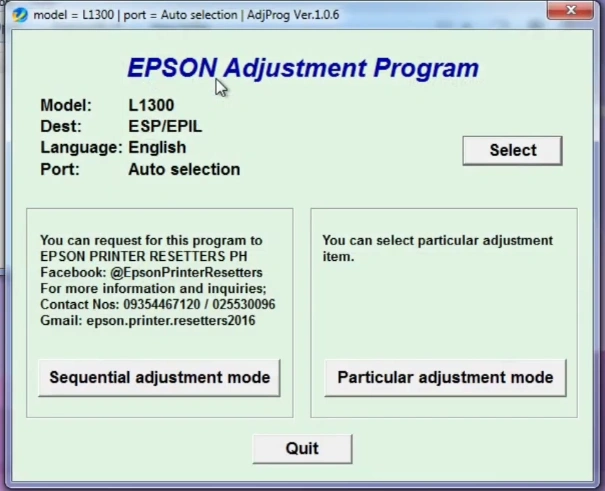
Select “Waste Ink Pad Counter” and click on “Check.”
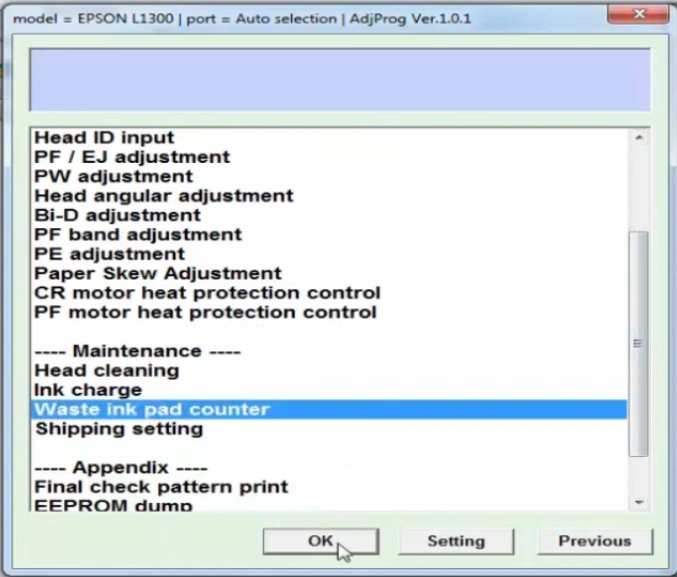
Choose mainpad counter and click the check button
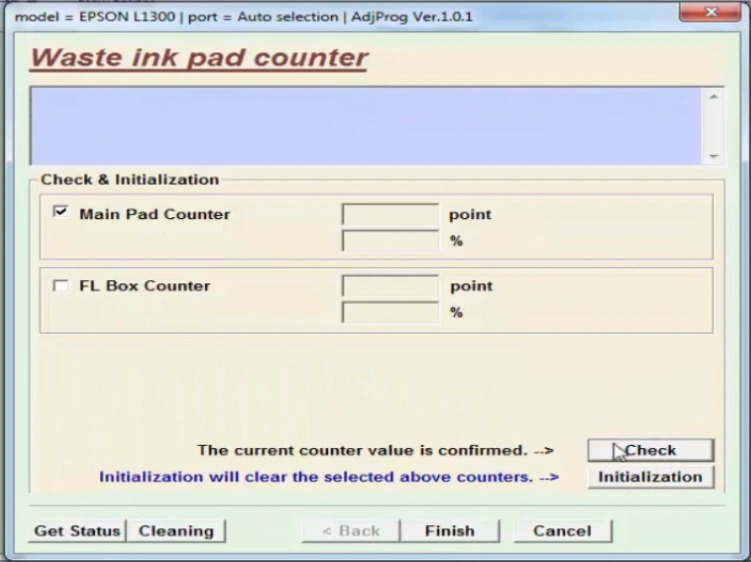
Click on the Initialize button.
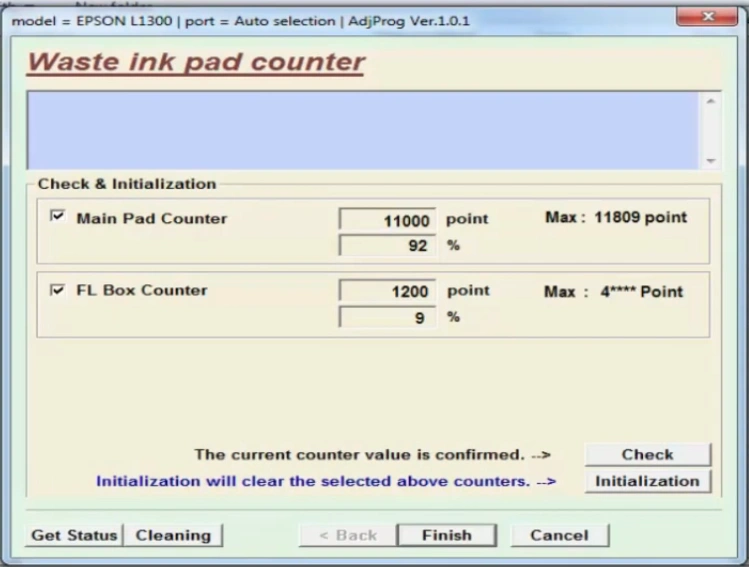
Turn your machine off and on again.
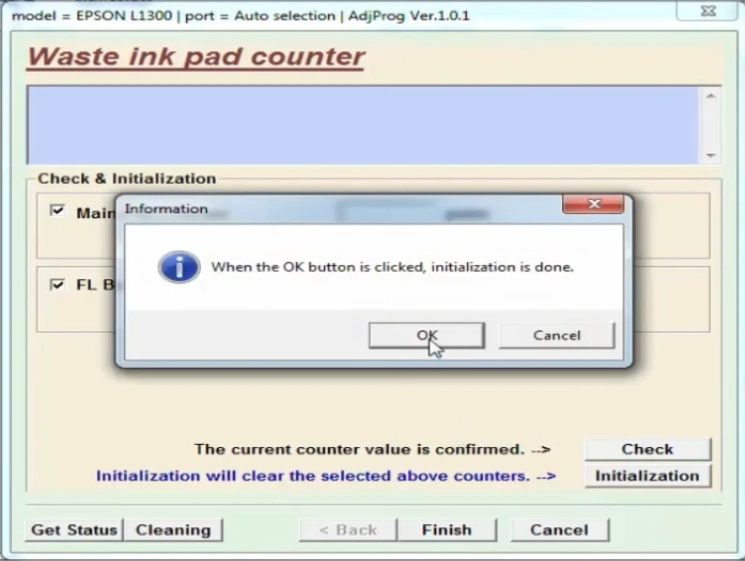
By following these steps, you can easily use the program’s download tool.
How to Reset Epson L1300 Waste Ink Pad Counter Video.
FAQ
What is the Epson adjustment program?
When a printer displays a ‘Service Required’ error or the waste ink counter reaches its limit, an Epson adjustment program is used to reset it.