After using an Epson printer for a long time, you might encounter a service error message that says ‘End of the device’s service life’. Let’s find out what to do when this error occurs. Today, we are providing complete details on how to solve this Problem using the Epson L385 Resetter.
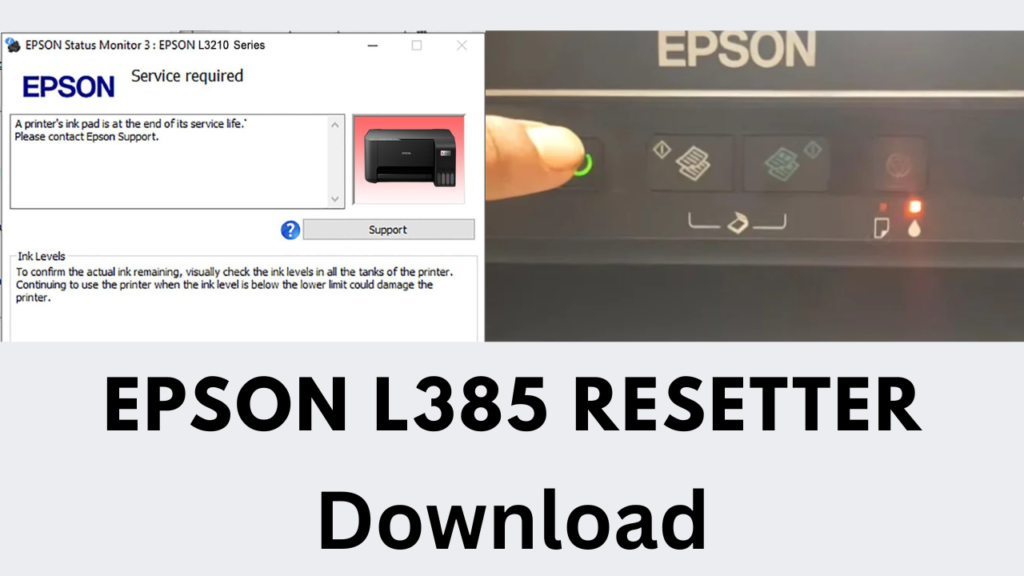
Waste Ink Pad Counter Error
The one-by-one blinking light issue in Epson L380 and L385 printers usually occurs when the Waste Ink Pad Counter becomes full. During printing—especially with frequent print head cleaning—waste ink accumulates in the printer’s internal ink pads.
When these pads are full, the printer automatically stops working for safety reasons and displays this error with the lights blinking one after another.
- This problem is most commonly seen after prolonged use of the printer.
- However, there’s no need to worry—there is a proper solution to this problem.
- Reset the Waste Ink Pad Counter using the Epson Adjustment Program or Resetter tool.
- This error can be easily cleared, and the printer can be used normally again.
Download Tool
How to reset the L385 Printer with the Resetter Software tool
• Connect the USB cable from the Epson L385 printer to your computer.
· Turn the printer on and make sure it is ready
• Download the Epson L385 Resetter software from a trusted source.
• Extract the resetter ZIP file (password: No password required).
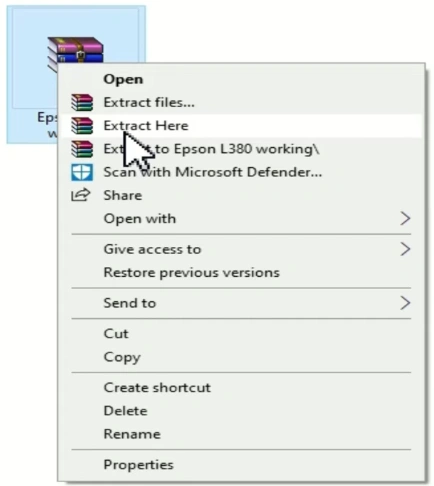
• Open the extracted folder and double-click AdjProg.exe, then click on Accept.

• Now, Click on the Particular Adjustment Mode.
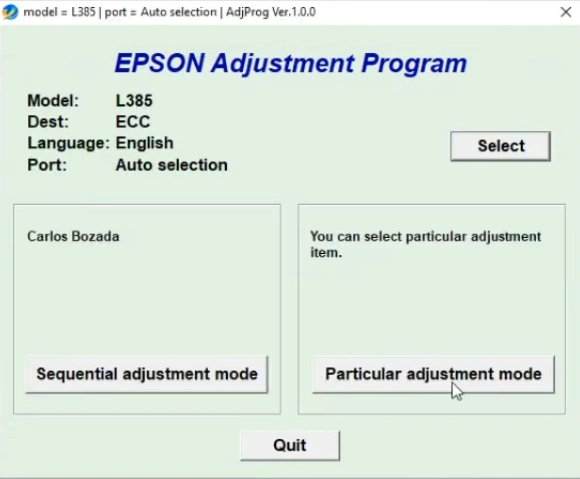
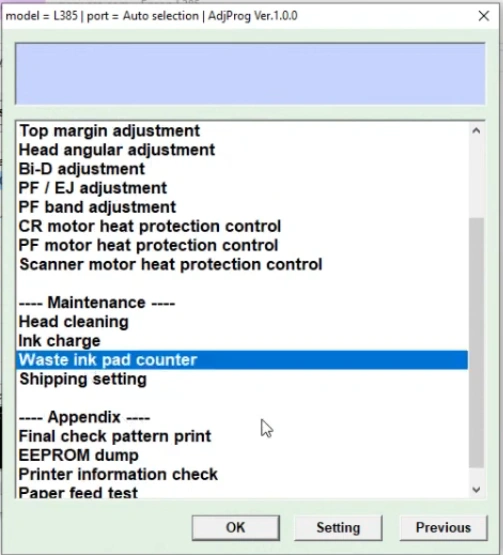
• Select Waste Ink Pad Counter and click on the OK button.
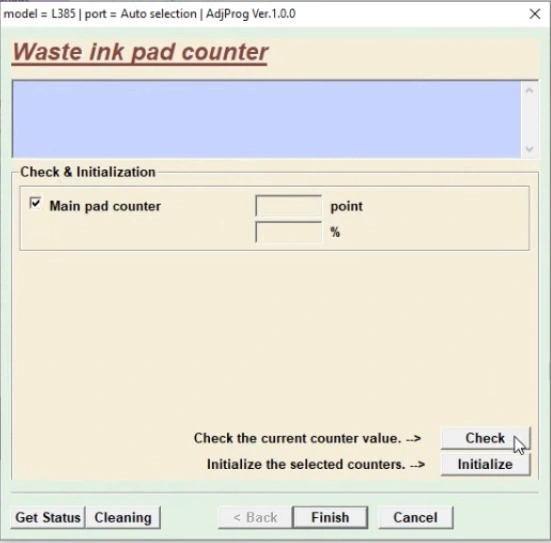
• Check the box for the Main Pad Counter. Click Check now, and then click OK.
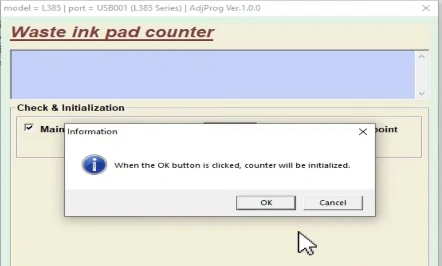
• Click Initialization Now, and then click OK to reset the counter.
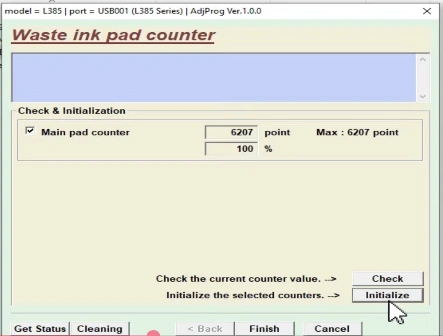
• Open the one tab; the counter will be initialized